Fraud protection.
Now it’s personal.
ANZ Falcon® technology monitors millions of transactions every day to help keep you safe from fraud.
Falcon® is a registered trademark of Fair Isaac Corporation.


Fraud protection.
Now it’s personal.
ANZ Falcon® technology monitors millions of transactions every day to help keep you safe from fraud.
Falcon® is a registered trademark of Fair Isaac Corporation.
Log in
Explore more
Stay up-to-date with emerging cyber threats, scams and other important online risks as they happen. Or, if you're a business owner, take a look through business security news  that could impact you.
Explore the latest alerts below, and make informed decisions to help keep your personal and banking details safe.
Jump to

 Business owners: See latest security alerts
Type: 
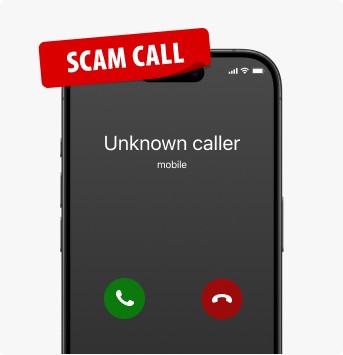
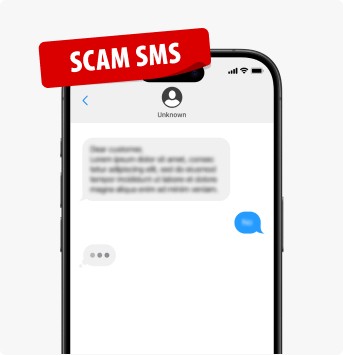
You may receive a call claiming to be from ANZ asking you to authorise a transaction on your account. The call is commonly delivered as a recorded message (asking you to press 1 to proceed), however, it may also be someone cold calling you posing as an ANZ officer. We have also received reports of this scam being delivered via SMS with a number to call to “confirm” the transaction.
If you respond to the recorded message or contact the number provided in the SMS, you might speak with a scammer who will attempt to trick you into following instructions (e.g. transferring money to a “safe” account) with the objective of stealing your money or personal details.
ANZ will never ask you to share sensitive banking details (like your password, PINs, ANZ Shield code or one-time passcode (OTP) for payment in an email or SMS), click a link to log in to your account, grant remote access to your computer or device or transfer money to another account.

Type: 

Messages appear to come from well-known companies and organisations such as the Australian Taxation Office (ATO) asking you for payment and with a link to proceed. The link typically directs you to a legitimate looking website to capture your card or banking details, often including the PIN or one-time passcode (OTP). The information you populate on these websites may be used to steal your money.

Type: 
ANZ understands that Tangerine Telecom is investigating a cyber-attack, resulting in the unauthorised access of its customers’ information.
Tangerine Telecom have advised via a media release that the information exposed may include personal information of their current and past customers.
Please visit Tangerine Telecom for further information.
Please refer to our dedicated Data Breach Customer Support page where you’ll find useful information and resources.
Type: 
Applicable to individuals and IT teams of organisations and government who use Microsoft Office Outlook products.
The ASD's ACSC has published a critical alert regarding a vulnerability that exploits the Outlook preview pane as an attack vector, enabling malicious code execution in edit mode rather than the restricted protected view.
This vulnerability affects customers running the following Microsoft products:
Microsoft Office 2016
Microsoft Office LTSC 2021
Microsoft 365 Apps for Enterprise
Microsoft Office 2019
For more information, please read the Australian Cyber Security Centre’s alert, Microsoft Office Outlook Remote Code Execution Vulnerability.

Type: 

In recent weeks, there have been numerous reports of data breaches in Australia and around the globe – all of which can lead to credential stuffing.
In a credential stuffing attack, the cybercriminal will use previously stolen usernames and passwords from one website and use them on other websites in the hope that users are re-using them – to get unauthorised access to their user accounts.
This may lead to fraudulent transactions being made using the payment information saved in the user accounts on these websites.
Attacks of this nature are becoming more prevalent. To help safeguard your money and your information, we want to remind you of the following tips:
Use a different password/passphrase for different accounts
Use multi-factor authentication (MFA) on all accounts, wherever possible.
Change your password/passphrase immediately, if impacted by a data breach.
Type:
ANZ is aware of a new scam on the rise involving “accidental deposits” on business customer accounts.
The scam begins with an unexpected payment being received in a customer’s account. The cybercriminal then contacts the customer stating that they’ve made an accidental deposit to the customer’s account, and requesting that they transfer the money back. The account the cybercriminal directs the customer to pay the “accidental deposit” is their own account.
Variations of this scam may involve a false call from the “bank” requesting funds to be transferred back into the sender’s account.
Please note, ANZ will never ask you to transfer funds to another account.
If someone pays you unexpectedly and requests the payment to be returned, ask them to reach out to their bank to initiate a recall instead. Do not send the money back yourself.
Always be wary of unexpected emails and messages as this may lead you to divulge your banking details - never click on links or download attachments from unexpected messages or emails.
Type:
The ASD's ACSC has published a critical alert regarding vulnerabilities affecting Palo Alto’s PAN-OS 10.2, PAN-OS 11.0, and PAN-OS 11.1 firewalls.
According to the ASD’s ACSC, the vulnerability can result in an unauthenticated attacker executing arbitrary code with root privileges on the firewall.
The ASD’s ACSC has stated that Australian organisations who have a Palo Alto Threat Prevention subscription can block attacks for this vulnerability by enabling Threat ID 95187.
For more information, please read the Australian Cyber Security Centre’s alert, OS Command Injection Vulnerability in GlobalProtect Gateway.
Type:
The ASD's ACSC has published a critical alert regarding vulnerabilities affecting Fortinet’s FortiClientEMS 7.2 to 7.2.2 and FortiClientEMS 7.0 to 7.0.10.
According to the ASD’s ACSC, CVE-2023-48788 can result in remote code execution by an unauthenticated threat actor to execute unauthorised code or commands via a specifically crafted request.
ASD’s ACSC encourages Australian organisations to review their networks for use of vulnerable instances of the FortiClientEMS and apply patches available from Fortinet.
For more information, please read the Australian Cyber Security Centre’s alert, Critical vulnerabilities affecting Fortinet’s FortiClient EMS
Type:
Applicable to individuals and IT teams of organisations and government who use Microsoft Office Outlook products.
The ASD's ACSC has published a critical alert regarding a vulnerability that exploits the Outlook preview pane as an attack vector, enabling malicious code execution in edit mode rather than the restricted protected view.
This vulnerability affects customers running the following Microsoft products:
Microsoft Office 2016
Microsoft Office LTSC 2021
Microsoft 365 Apps for Enterprise
Microsoft Office 2019
For more information, please read the Australian Cyber Security Centre’s alert, Microsoft Office Outlook Remote Code Execution Vulnerability.
App Store is a service mark of Apple Inc. Google Play and the Google Play logo are trademarks of Google LLC
 April 2024
 Posted on 16 April 2024
  Business alerts