Fraud protection.
Now it’s personal.
ANZ Falcon® technology monitors millions of transactions every day to help keep you safe from fraud.
Falcon® is a registered trademark of Fair Isaac Corporation.


Fraud protection.
Now it’s personal.
ANZ Falcon® technology monitors millions of transactions every day to help keep you safe from fraud.
Falcon® is a registered trademark of Fair Isaac Corporation.
Log in
Explore more
ANZ and Worldline have partnered to offer best-in-class payment solutions to Australian businesses like yours.
ANZ Worldline Payment Solutionsdisclaimeris now providing all services related to accepting payments in-store, online and on-the-go.


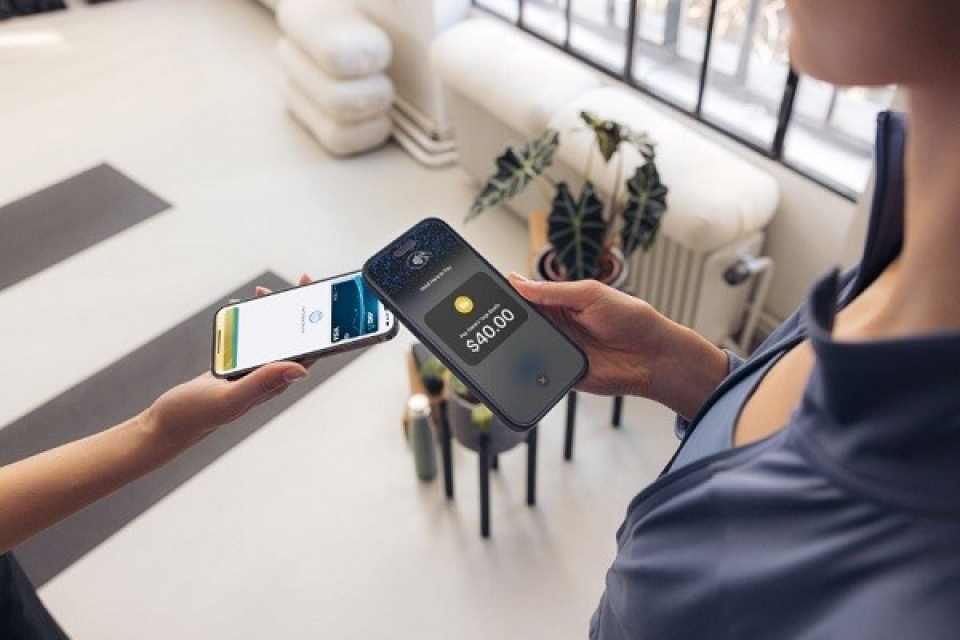

With ANZ Worldline, accepting payments on-the-go is easy and secure - all you need is the Worldline Tap on Mobile app and a compatible mobile device.
Ideal for any business that takes payments on-the-go, from tradies to market stallholders and everything in-between.

Enhance your customers’ checkout experience with simple and secure EFTPOS terminals.
Whether you’re at the counter or on the move, ANZ Worldline's point of sales solutions will respond to your business needs.

ANZ Worldline has online checkout solutions to help your customers pay online, in app or over the phone.
Find a solution that fits your business with different integrations and customisations available.


Make it easy for your customers to pay you, and stay on top of bills, with one of Australia's most widely used payment solutions.

Would you like to have payments automatically drawn from your clients' accounts into your business account on a pre-arranged basis? ANZ's Direct Debit service allows you to do this and more.

Forget your BSB and account number. Create a PayID® to get paid easily or set up a PayTo® agreement by sharing your mobile number, email address or ABN/ACN (if eligible).disclaimer
Any advice does not take into account your personal needs, financial circumstances or objectives and you should consider whether it is appropriate for you.
ANZ recommends you read the applicable Terms and Conditions and the ANZ Financial Services Guide (PDF) before acquiring the product.
PayID and PayTo are registered trademarks of NPP Australia Limited.
BPAY® is registered to BPAY Pty Ltd ABN 69 079 137 518.
*ANZ Worldline Payment Solutions Terms and Conditions apply. See more at https://anzworldline.com.au/en/home/payment-solutions/eftpos-terminals/tap-on-mobile.html
ANZ Worldline Payment Solutions means Worldline Australia Pty Ltd ACN 645 073 034 (“Worldline”), the provider of merchant solutions under the Merchant Agreement. Worldline is not an authorised deposit taking institution (ADI) and entry into the Agreement is neither a deposit nor liability of ANZ or any of its related bodies corporate (together “ANZ Group”). Neither ANZ nor any other member of the ANZ Group stands behind or guarantees Worldline. Worldline Australia Pty Ltd ABN 50 645 073 034
ReturnTo be eligible to use a PayID for a PayTo Agreement, the account must be eligible to send and receive NPP payments. PayTo is only available if offered by the relevant Payee. Technical interruptions may occur.
Return