Browser Settings - Internet Explorer® 6
 | ||
| Step 2: Security Settings |
 Prev Prev
|
Next 
|
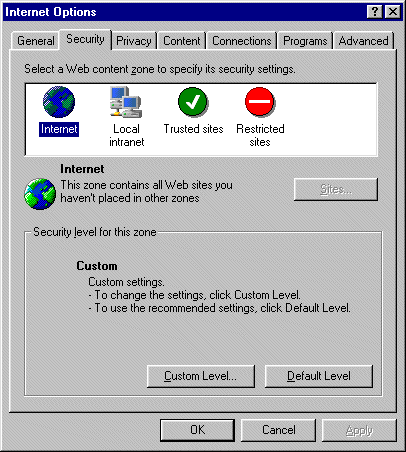
- Select 'Security' tab
- Select the 'Custom Level' option
- Scroll down to the Java Permisssion area
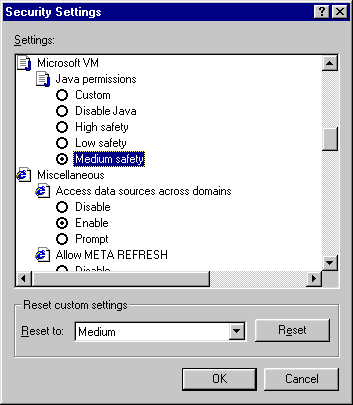
- The security setting should be set to medium. This will not lessen the security of your Internet Banking session. In order to boost your browser to 128-bit SSL encryption, medium security must be set.